# Monitoring license servers using the FNE Server Viewer
The FNE Server Viewer is a web-based application that can be used to monitor Advantest license servers.
The FNE Server Viewer runs only on the license server, enabling you to easily check:
- Status of the license server
- List of the available licenses
- List of the checked-out licenses
### **Supported web browsers**
The Licensing Portal is supported on the following web browsers:
- Google Chrome
- Mozilla Firefox
Note: Microsoft Internet Explorer is not supported.
### **Starting the FNE Server Viewer**
Start the FNE Server Viewer by entering the following URL in a web browser:
`http://:7077`
The FNE Server Viewer opens in the web browser and includes the following pages:
- Clients
- Features
- Offline server update
- Synchronization
### **Clients**
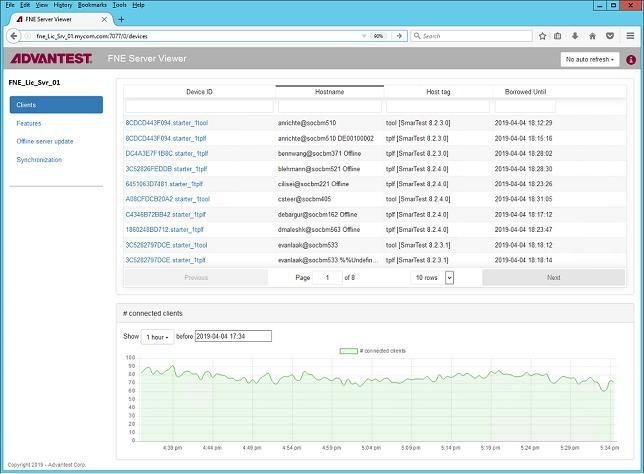
The **Test systems** page displays the Advantest test systems (license clients) that have checked out licenses from the FNE license server.
[](https://lhc.advantest.com/uploads/images/gallery/2025-10/scaled-1680-/22-jpg.jpeg)
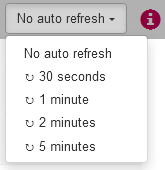
The Auto Refresh control provides refresh interval options. No auto refresh can also be selected.
[](https://lhc.advantest.com/uploads/images/gallery/2025-10/scaled-1680-/TJ633-png.png)
### **Features**
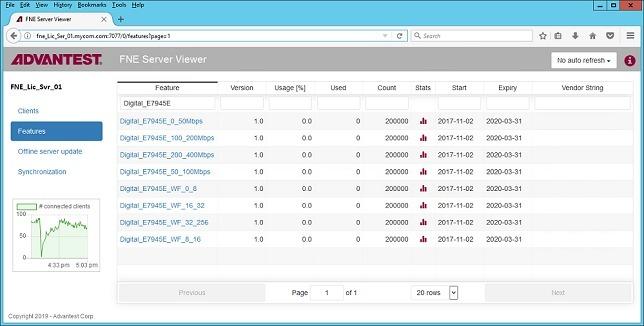
The **Features** page displays the licenses available for allocation on the server and their details:
[](https://lhc.advantest.com/uploads/images/gallery/2025-10/scaled-1680-/44-jpg.jpeg)
The **Auto Refresh** control provides refresh interval options. No auto refresh can also be selected.
### **Offline Server Update**
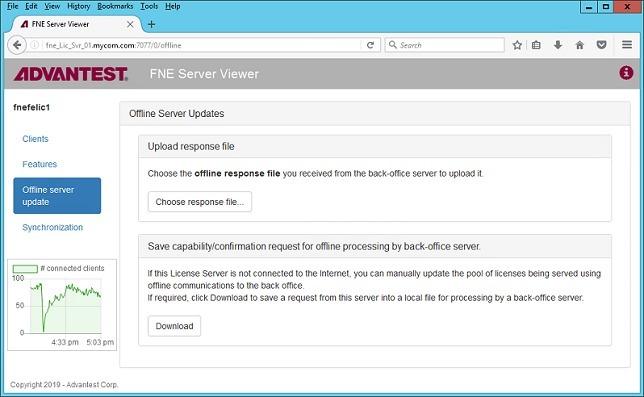
For FNE license servers not connected to the Internet, using the **Offline Server Update** page, you can upload and download license content files for :
- Activation
- Re-hosting
- Renewal
[](https://lhc.advantest.com/uploads/images/gallery/2025-10/scaled-1680-/55-jpg.jpeg)
### **Synchronization**
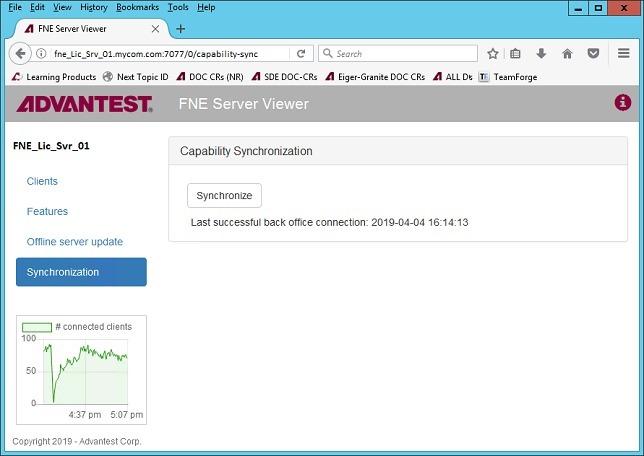
The **Synchronization** page contains the **Synchronize** control used to synchronize FlexNet Embedded license servers with the Advantest License back-office.
[](https://lhc.advantest.com/uploads/images/gallery/2025-10/scaled-1680-/66-jpg.jpeg)