# Signing in to the License Portal
You must be signed in to the Advantest License Portal to access license portal functionality. An associated account is necessary.
## Before you begin
You must know your Advantest customer credentials, which are based on your email address.
**Password reset** is possible on the general Advantest License Portal Login page.
All entries in the login screens are **case sensitive**.
**Login credentials** are the **same** as for the myAdvantest login.
## Procedure
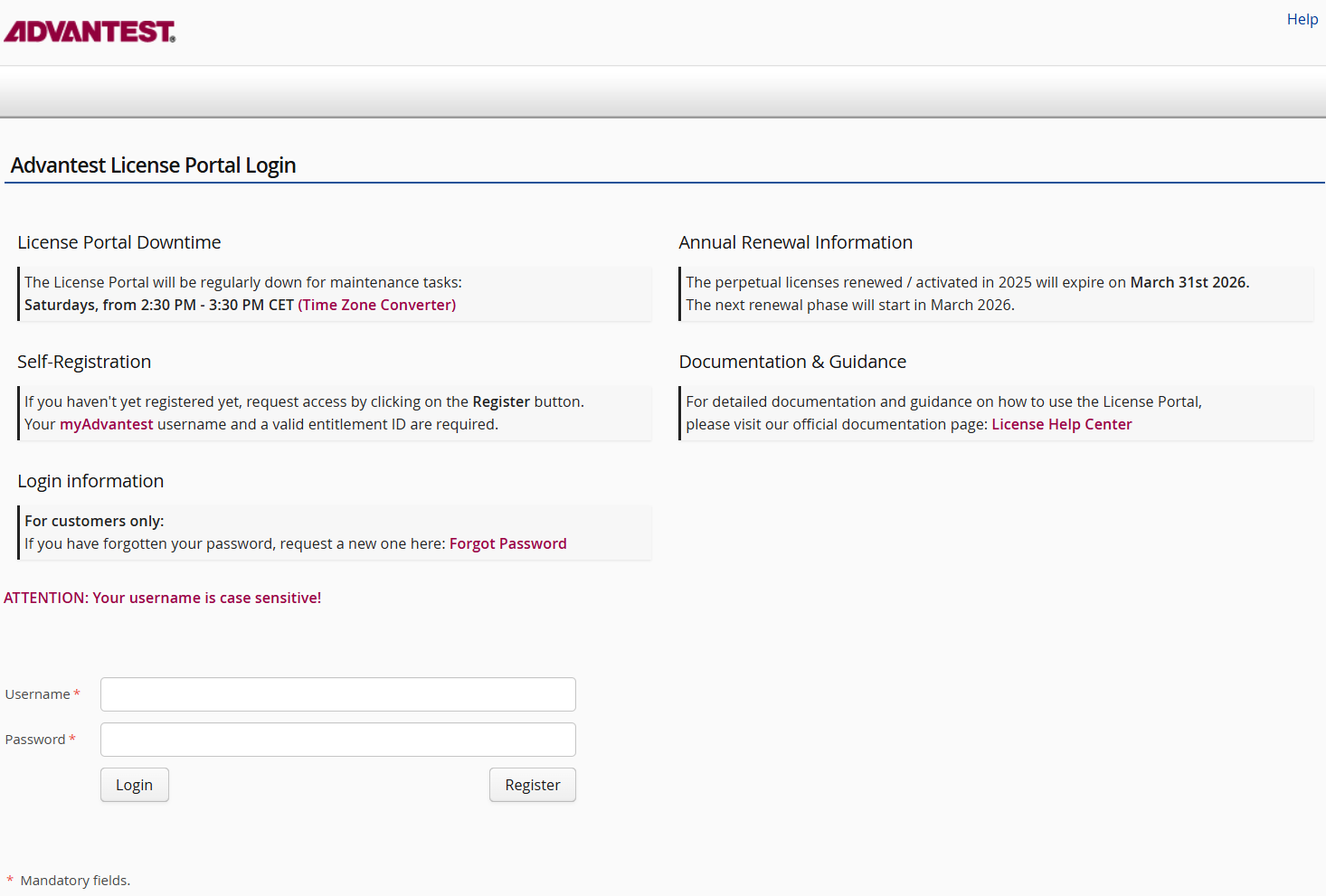
1. Sign in to the Advantest License Portal by opening the following URL in a Web browser (Edge, Chrome or Firefox): [https://license.advantest.com](https://license.advantest.com)
[](https://lhc.advantest.com/uploads/images/gallery/2026-01/EZ8image.png)
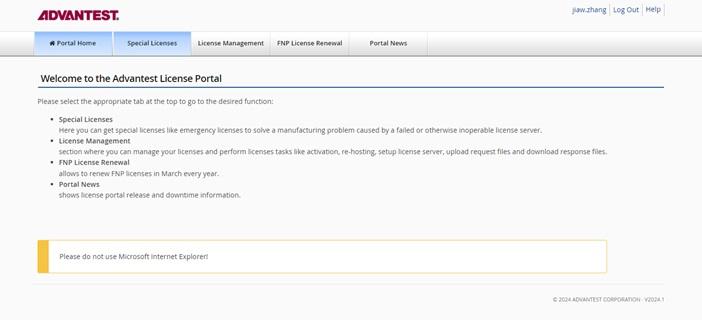
2. Type your customer credentials and click **Login**. For registered customers, **Username** requires the email address provided during registration. The Licensing page opens.
**Note**: You require a registered account to be able to sign in. Alternatively, click **Register** and complete the registration process with myAdvantest username a valid entitlement ID. If registration fails, contact your Advantest representative providing your myAdvantest username (do not provide your password), and the error message you received during signing on.
[](https://lhc.advantest.com/uploads/images/gallery/2025-10/scaled-1680-/tmy2-jpg.jpeg)
## Results
This opens the Advantest License Portal page, giving access to:
- Special Licenses (Advantest employee only)
- License Management
- FNP License Renewal
- **Optional:** Cloud Server Status
- Portal News
## What to do next
To sign out after you have completed your tasks, click Log Out in the upper-right corner.