
Removing bridging license from FNE license server
This can be done via License Portal:
- Log in to the license portal and click on the “License Management” tab.
- Then select Re-host Licenses, the first step of rehosting is always removing the licenses from the server first. Which will be used to remove the bridging license, and the second step will not be executed.
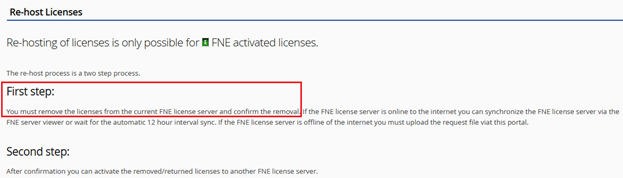
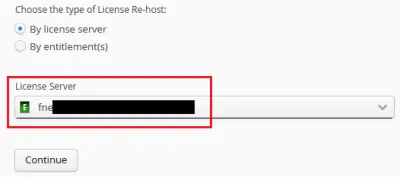
- Select the FNE server on which the bridging license is activated:
- Continue to the license selection part and search for “Bridging” in the filter segment under “Entitlement”:
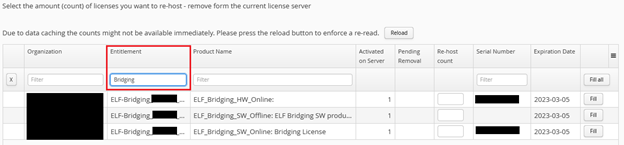
- Select the licenses and fill in the amount that will be removed.
- Continue with the selection and remove the bridging license. The appropriate FNE server needs to be synchronized, if it is online or for the case it is offline, you need to download the bin file and upload it via the FNE server viewer of the appropriate FNE server. This will remove the bridging license from the FNE server.
Remember this is the rehost process, but we´re only completing step one, which is to remove the bridging license.
Smartest must be restarted afterwards to ensure its working with the correct licenses.