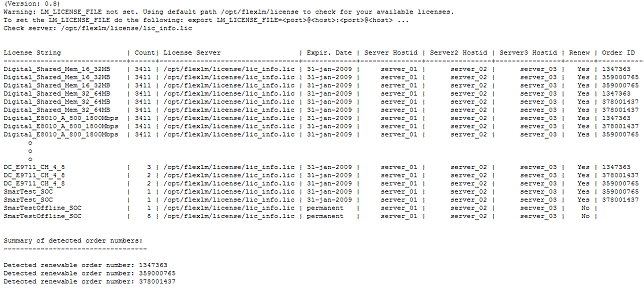
The getOrderNumbers tool provides you with a complete list of the licenses installed on your license servers. This output is one of the files required by the License Renewal Comparison Tool and helps you with the annual license renewal process.
CAUTION: Do not run the getOrderNumbers tool under user root. This can lead to longer execution times.
Note: Prerequisite: FLEXlm license server software version: ≥ 11.9.1.1.
Note: The getOrderNumbers tool is available for Red Hat Enterprise Linux 5 and 7. Use the version applicable to your operating system version.
You can run the getOrderNumbers tool either on one of your license server hosts or on any of the SmarTest clients.
Sign on to the Advantest Software Center and go to: Other Software > Active Tools and Files > Licensing > LicensingTools > getOrderNumbers
To install the tool, extract it and copy it to a host in your network, for example at /home/my_name/license-renewal-tools/getOrderNumbers.
Once you copied the file, make sure it is executable.
For the recommended three-license-server redundancy configuration or for multiple license servers within a network, you need to run the getOrderNumbers tool only once, either on one of the license server hosts or on a SmarTest client host.
If you have license servers in multiple independent networks, you must run the getOrderNumbers tool in each network.
Example
For example, for a three-license-server redundancy configuration, the output is one license server inventory file showing the installed licenses for all three servers: