
Installing the FLexNet (FNP) license client
Installing a FlexNet Publisher (FNP) license client used to provide the activated licenses to a SmarTest installation on a system controller workstation requires two steps: the installation of the license client software itself on the SmarTest host system, and configuration of the license server configuration file to prioritized the order of server access.
About this task
The following procedure explains how to install the FlexNet client.
Before you begin
The license client is the SmarTest software. The FlexNet license server communicates with SmarTest using the FlexNet client.
Procedure
- To get the list of all available Licensing products, from the left menu select:
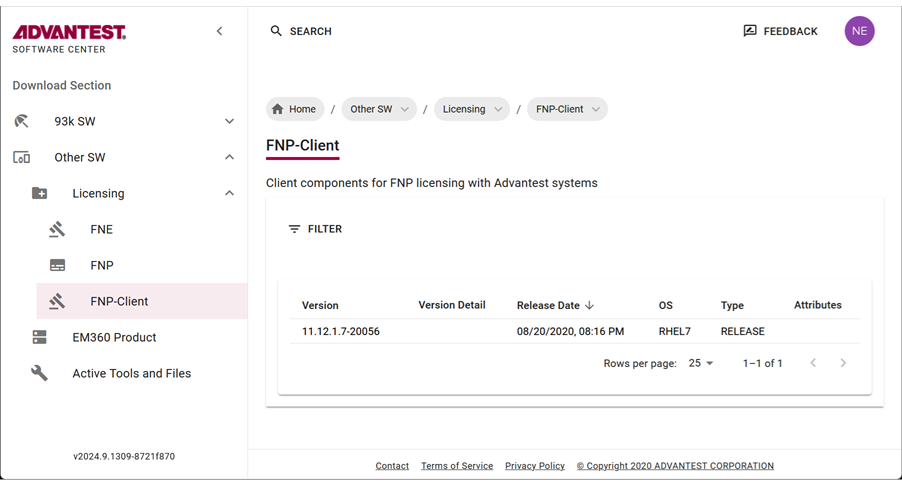
- Copy the installation command to the clipboard by clicking
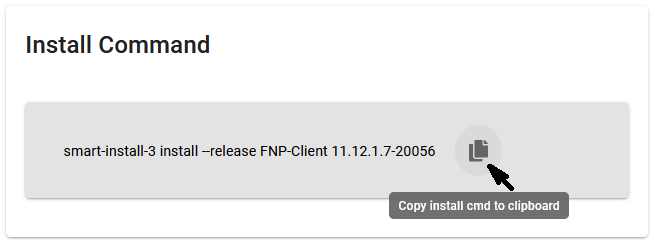 .
.
To install the smart-install-3 tool, you need root permissions.
To install software with smart-install-3 version 3.1.6.0 and higher, the user account you are using must be a root-level account or be included in the smartinstall user group or the smart-install-3 command must be run as system administrator (root).
Add a user to the smartinstall user group with the command:usermod -aG smartinstall usernameRunning this command on your workstation installs the package to your system controller. For details, see smart-install-3 command line tool and Downloading SmarTest software.
Alternatively, click on a file. The save file dialog opens, from which you can specify a download location. For details, see Downloading SmarTest software.
- Optional:
- Download the archive package by clicking the
 icon.
icon.
The selected license (tar.gz) package is downloaded to your browser's download folder.
Example FNP Client packages include:
fnp_client_11.12.1.7_20056_rhel7.tar.gz
- Download the archive package by clicking the
Results
You have installed the license client software and configured the list of FlexNet Publisher license servers in a prioritized order.